Zoho Expense App efficiently automates your business expense management. With its automated workflows and custom-made approach, it is suited for all types of businesses worldwide. It is one of the best expenses manager applications. You can automate report creation, approval processes and expense reimbursements.
Dashboard for quick view: As a manager or as an employee, your dashboard gives you a snapshot of all of your expenses, reports and reimbursements in a single place.
Feature-02
Receipts and Expenses
Save your time by automating your receipt and expense management.
Auto scanning – You can auto scan, store and track your receipts.
Mileage Expense Tracking – You can use three different ways to create mileage related expenses namely GPS tracking, Odometer readings and simply putting the distance covered. GPS Accuracy is to the point so that you get the correct expense values in place.
Expense Management – You can create and track multiple types of expenses. Be it per diem, multi-currency or billable/non-billable expenses, you can easily manage them. Zoho Expense offers you robust features to upload any business charge you encounter, saving you time, money, and stress. You will never have another expense to go unaccounted for.
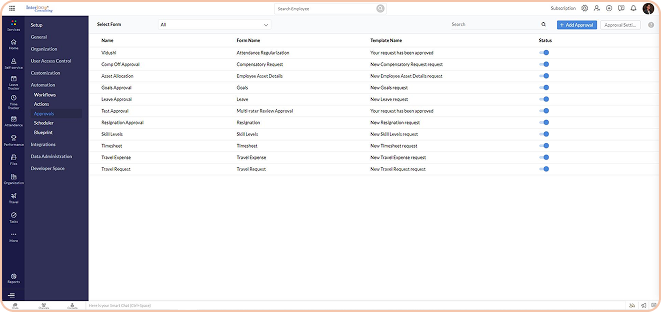
Approval Forms Configured
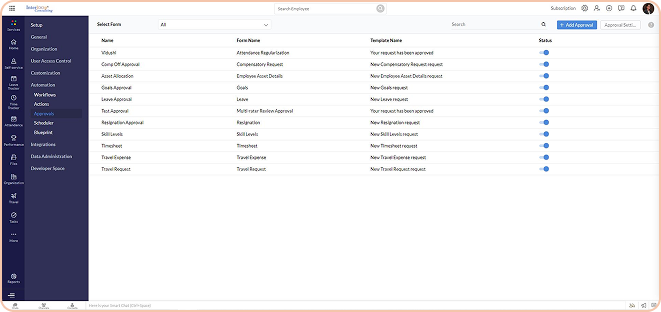
Approval Forms Configured
Approval Forms Configured
Approval Forms Configured
Feature-03
Fraud Detection
With AI-driven Zoho expense app, you can check fraudulent and/or duplicate expenses. You do not have to review every transaction manually.
Feature-04
Cards
Connect your cards with Zoho expenses for easy expense tracking.
Direct Feed Integration for corporate cards
Corporate Card Reconciliation by fetching the expenses from card statements
Approval Forms Configured
Approval Forms Configured
Approval Forms Configured
Approval Forms Configured
Feature-05
Trips & Expense reports
You can plan, create, and approve trips. Based on approved trips, creating and submitting detailed expense reports is easy with Zoho Expense. You can have the advance taken for such trips approved.
Create itineraries, share offline
Automate Expense Report Creation & Submission for an efficient process
Expense report can be tagged to the trip, making it easy to tag expenses and advances for the creator and approver.
Feature-06
Approvals
You can set up a hierarchy or user base approval process in the organisation. In case approving authorities are not available, you can use the delegation feature. Custom based non-linear approvals allow you to have complete visibility on the expenses and purchases within your organisation.
Approval Forms Configured
Approval Forms Configured
Approval Forms Configured
Approval Forms Configured
Feature-07
Purchase requests
Create an efficient multi approval purchase process within the organisation. You can avoid duplicate or unnecessary purchases with this feature. Employees can be stopped when they are close to the budgets allocated. Criteria based on custom approvals also control cash flow and budgets.
Feature-08
Expense Control
You can control expenses in multiple ways. You will never lose touch over the ongoing trends in expenses. You can set up policies, expense rules and budgets so that nothing ever goes out of control.
Approval Forms Configured
Approval Forms Configured
Approval Forms Configured
Approval Forms Configured
Feature-09
Reimbursements
Processing reimbursements is efficient with this expense tracker app. With the email notifications to the submitter and approver, no one will ever be in the dark with regards to the status. You can integrate your payroll or financial ERP for quick payments to employees. Our Indian Clients, having ICICI Bank Accounts, can pay directly to the employees.
Feature-10
Policy Violations
The app will give an immediate alert to the submitter and approver in case of any policy violations. This will also give you a detailed report on habitual offenders.
Approval Forms Configured
Approval Forms Configured
Approval Forms Configured
Approval Forms Configured
Feature-11
Audit and Reports
With fraud detection, policy violation reports and custom approvals, Zoho Expense app will always keep you audit-ready at the end of the year. There are audit logs for all activities. You can also check when a report is created, modified or deleted.
Feature-12
Automation
With its well-defined automation, you don’t have to carry trivial manual tasks for expense management. You can create a customised work flow that will be triggered whenever set conditions are met. All the work flows are supported by Email alerts, in-app notifications and custom functions.
Approval Forms Configured
Approval Forms Configured
Approval Forms Configured
Approval Forms Configured
Feature-13
Customization
Customization allows you to create additional fields and/or layouts for a different set of employees. You can choose what they see and create/submit expense reports.
INTEGRATIONS
Accounting & Invoicing
Travel
Online Reimbursement
HR & Project Management
Online Reimbursement
Other Apps
Other Apps
Zoho Expense FAQs
How can we choose which variant is suitable for us?
Yes, Zoho People can be integrated with other solutions such as Quick Books, Adobe Sign, Docu Sign, Google Calendar, Zapier, XOXO day, Microsoft. You can also use Zapier to integrate with various tools. Apart from them, check the integrations section for more information about the same.
Can I upgrade or downgrade to different plans mid-year?
It’s important to pick the right variant that helps you strike the balance between investment and organizational needs. You can take our need assessment, scope of work and feature list to pick the right variant for your organization.
How do we manage contract or blue-collar employees (Drivers, Security Staff etc.) in Zoho People?
Zoho people has employee profile features, that can be used for blue-collar employees. These licences come at a very nominal fee. They do not get access to the system, however their attendance and leave data along with their personal data can be maintained.
Can we integrate Zoho People with other solutions?
Zoho people has employee profile features, that can be used for blue-collar employees. These licences come at a very nominal fee. They do not get access to the system, however their attendance and leave data along with their personal data can be maintained.
Do you have AMC? Is it compulsory?
No, AMC is not at all compulsory. We believe that our training will help the HR team to handle the system all by themselves. We provide L1 & L2 level training for HR Professionals. If at all you still want to opt for AMC our team will be happy to provide you an option.
Can we implement Zoho People ourselves? What support will you provide in this case?
Implementing Zoho people by yourself can be a tedious task especially if you’re not a certified professional. It might take more time and you might not be able to use the system exhaustively. Still if you want to do it by yourself, we can provide you with Interloop’s admin guide for Zoho People. To avail this you must tag Interloop as your partner.
Can we integrate biometric machines with Zoho People?
Yes, you can integrate biometric machines with Zoho People, Zoho People Support, MS Access and SQL database for integration.
Can we manage group companies or different legal entities in Zoho People?
Yes, you can manage the subsidiaries, sister companies in Zoho People spread all across the globe. This feature is available only in the enterprise version of Zoho people.
Get in touch to begin your ZOHO journey!
Contact us today to learn more about how we can help you achieve your business goals.